Start with one recurring task
Copying information from messages into a spreadsheet, summarizing notes, or preparing draft replies can be routine parts of a team's work. When considering automation, a useful first step is to document how the task is done today.
Read the fuller explanation
Kavushion's AI automation service starts with the workflow that needs support. The discussion identifies a task worth testing, the tools required, and the limits of the system's responsibility.
Use AI when the need is clear
Some work can be handled by simple rules. Moving consistently formatted form entries, for example, may be better suited to an ordinary integration. AI is worth considering when a task involves variable text, such as preparing a summary for the team to review.
Read the fuller explanation
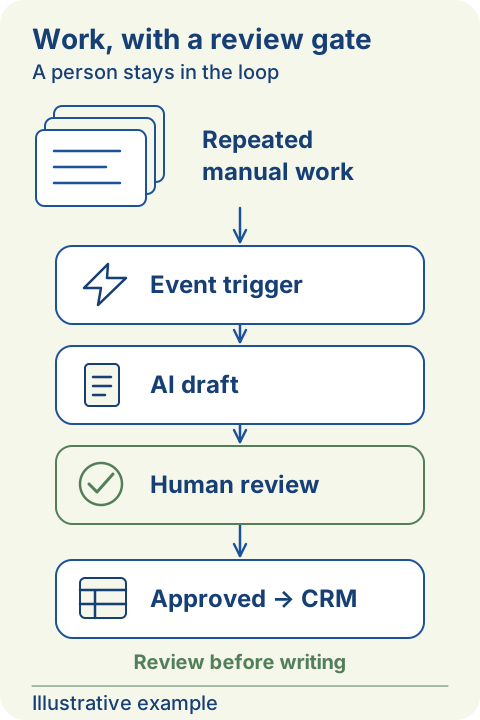
As an illustration, a team could test draft summaries from notes it has permission to process. A team member would then check completeness and accuracy before using the output.
Before building that workflow, record the information source, who can access it, the expected output, and what should happen when the result is unsuitable.
Test a small scope before expanding
An initial trial is easier to evaluate when it handles one task. The team can record the time required manually, the kinds of errors that arise, and the amount of checking needed after automation is introduced.
Read the fuller explanation
Those records help determine whether the new workflow is genuinely useful. Savings should not be calculated only from how quickly the system produces an answer; the time spent checking and correcting it also matters.
Prepare human review and a fallback
Kavushion includes discussion of access permissions, human review, and conditions for stopping the trial in its preparation. If the system fails or its output is doubtful, the team needs to know how to return to manual work.
Read the fuller explanation
For businesses that also need a website or internal system, automation can be discussed alongside those workflows. Any integration still depends on access, documentation, and an agreed implementation scope.
Before your next conversation
- Write down the manual steps you want to test.
- Compare AI with ordinary rules or integrations.
- Define access permissions and human review.
- Agree trial stop conditions and a fallback process.